
Cash tally & expenses · In every plan
Close the day knowing where every rupee went
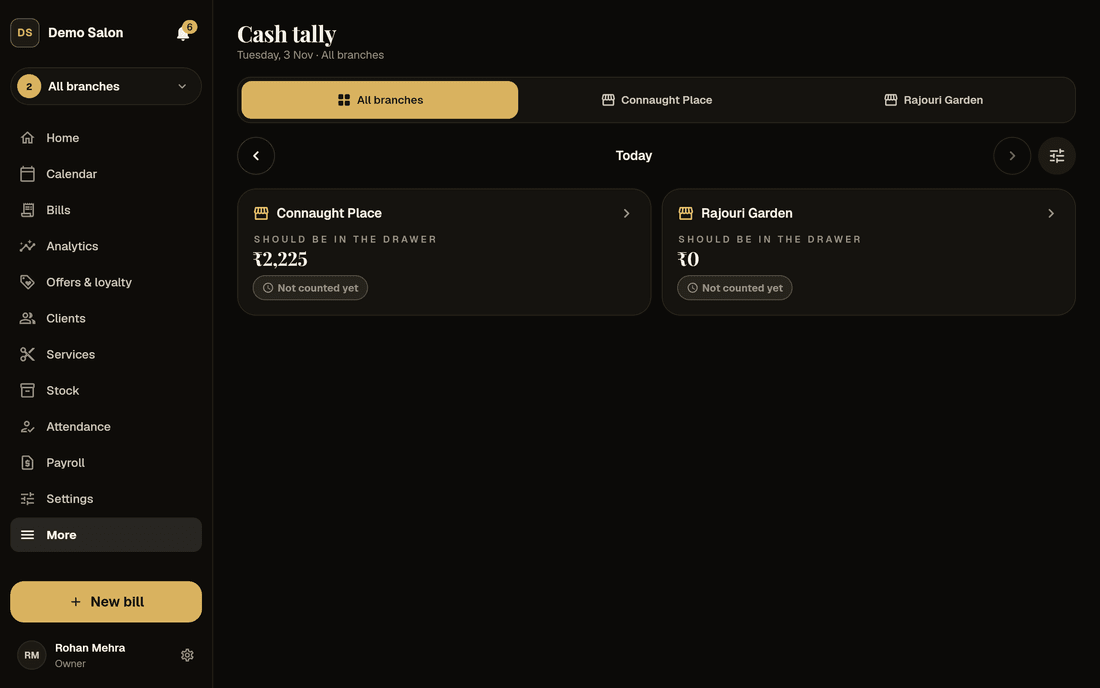
Frizzi’s salon cash register keeps the daily cash tally, expenses and staff advances together. It works out what should be in the drawer from every bill, expense, advance and payout; you count the notes; it tells you straight away whether it matches.
- “Should be in the drawer now ₹8,450”, worked out for you
- Count note by note, or type the total
- Cash taken out tracked until the owner has it
Day-end cash tally
A daily cash tally in two minutes, not twenty
At closing, the cash tally shows one big figure: what should be in the drawer now. Under it sit this morning’s cash and every rupee in and out, each on its own line: cash on bills, wallet top-ups, dues collected, vouchers sold, expenses, advances, salaries, supplier payments, tips handed out, refunds and change given back.
Tap Count the cash and count each note (₹500 down to ₹10) and coin (₹10 down to ₹1) with + and −, or type the total. Say what you’re taking out and where it goes. Frizzi answers in big letters: Matches, Short ₹100 or Over ₹50, with one line on what it means.
Want a truly honest count? Switch on blind count and staff count before they see what the drawer should hold.
- Each branch’s drawer counted on its own
- Count again the same day if you need to
- Blind count, off until you want it
Counted ₹8,350 by Kavya. Sample data.
In and out of the drawer
Cash that leaves the drawer is never a mystery
Paid in and paid out
Owner added ₹2,000 in change? Took ₹5,000 for the supplier? Owners and managers record it with a reason, and it shows as its own line on that day. A mistake is voided with a reason, never deleted.
Bank deposits and money taken out
At the count, say where the cash goes: Bank deposit, Given to owner or Other. Until the owner taps Received, a card at the top says “31 Oct: ₹5,000 taken out, not received yet. Bank deposit · by Kavya.”
This morning’s cash is locked
The opening is worked out from the last count, less what was taken out. Nobody but the owner can change it, and only with a reason that shows on the tally.
Counted days stay counted
Staff can’t slip a cash expense into a day that’s already counted. If an owner changes one, the day is marked “changed after counted” until someone counts it again.
Expenses
Every expense under the right head, with the bill photo
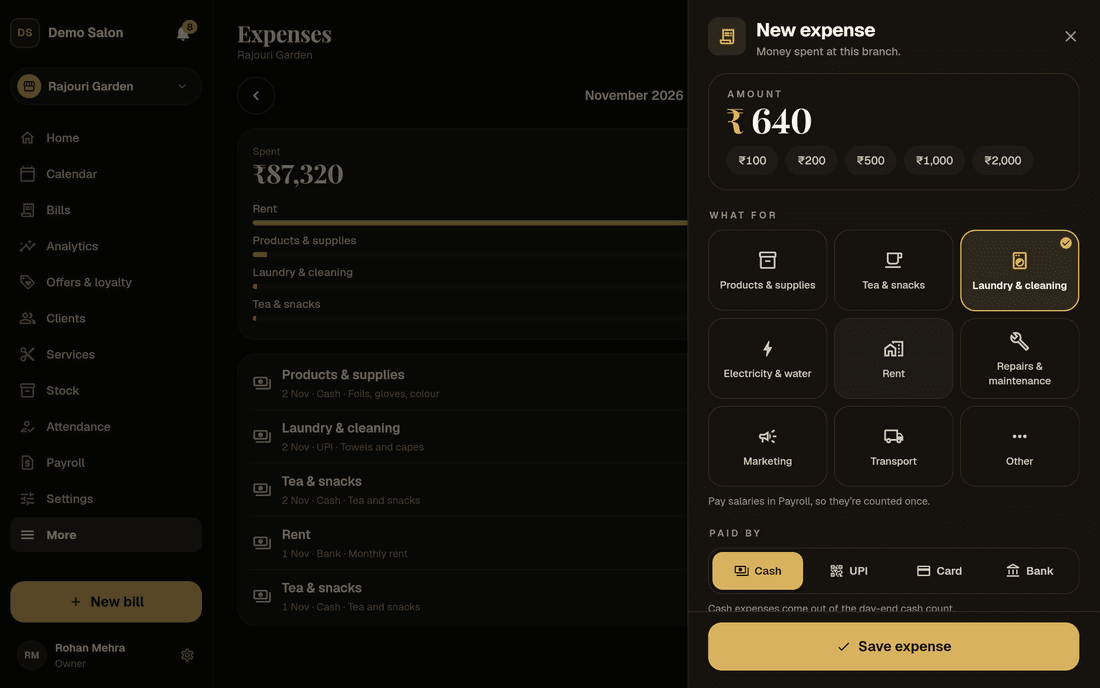
Rent, tea, laundry, the electrician: add an expense in seconds from Home or the Expenses page. Pick one of ten heads (products and supplies, tea and snacks, laundry and cleaning, electricity and water, rent, salaries and advances, repairs, marketing, transport, other), say how it was paid (cash, UPI, card or bank) and add a note. On Plus, take a photo of the bill so nobody has to keep the paper.
The Expenses page shows the month: a total, a bar for each head and every entry. A mistake is voided with a reason and stays listed, crossed out. If the shop gives money back, record Money back on this expense and that head’s total corrects itself. Stock for the shelf goes in through Stock in, and salaries through payroll once you use it, so nothing is counted twice.
- Ten heads, cash, UPI, card or bank
- Bill photo on Plus
- Voided with a reason, never deleted
Staff advances
Staff advances you never have to chase or remember
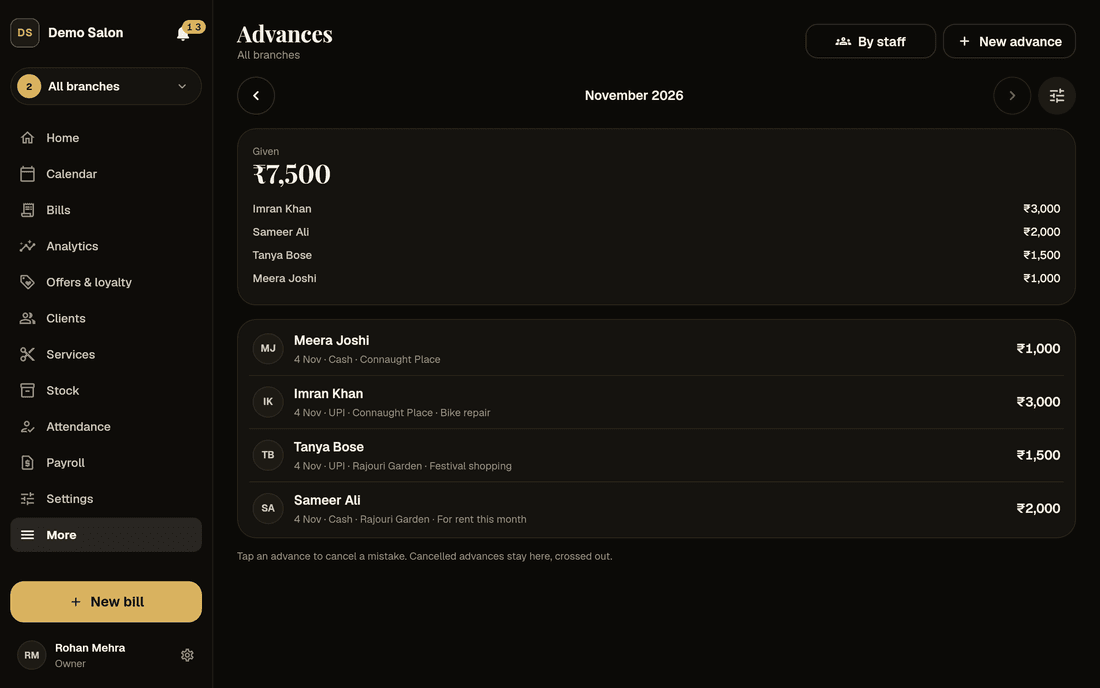
Give an advance with the Advance button on Home or from the Advances page: who, how much, cash or UPI. Cash advances come out of the day’s tally; UPI ones never touch the drawer. Owners and managers give them, managers only to reception and stylists at their branches.
The Advances page shows the month and a Not paid back yet list, like “Imran Khan owes ₹1,500”. Record cash paid back or, as the owner, write it off when someone leaves. Each person’s card shows what they owe, what came off pay and the next deduction.
On Plus, an advance a manager records can wait for the owner’s yes. On Pro, payroll takes advances back from pay when you lock the month, all at once or as a monthly instalment.
- Given, tracked, paid back or written off
- Owner’s approval of managers’ advances (Plus)
- Taken back from pay by payroll (Pro)
Screens
The money screens behind the counter
Real Frizzi screens on sample data. Tap one to see it larger.
Day-end summary
The whole day in one note, 30 minutes after closing
Each evening, owners and that branch’s managers get the day under the bell: bills and takings by cash, UPI and card, the cash count and who did it, expenses, advances, refunds, and bills cancelled or changed. It arrives 30 minutes after the branch closes (11:30 pm at the latest), once per branch, and not on days you’re closed.
For the longer view, the tally history goes day by day and month by month: what should have been there, what was counted, what was taken out and who counted. The Who counted table is where a pattern like “₹100 less every day” shows itself.
- Takings by how clients paid
- The count, expenses, advances and refunds
- History by day, by month and by who counted
Sample data
Money alerts
Hear when money moves the wrong way
Owners get short notes under the bell, each one once. You decide how big a shortage is worth an alert; to start with, any shortage is.
Short counts
“Branch A: ₹100 short on 3 Nov, counted by Kavya.” Set how big a shortage must be before you hear; it starts at ₹0.
Shortages that repeat
Every Monday, any branch short three or more times in 30 days is named, with the total and who counted, so small amounts that keep coming back are seen.
A note after each count
“Branch A counted ₹8,450 · matches (by Kavya).” On to start; switch it off if you only want the bad news.
Bills cancelled or refunded
When someone who isn’t an owner cancels a bill or gives a refund, you see the bill, the amount and their reason.
Big discounts
A discount above someone’s limit, let through with a PIN, still reaches you with the name of who approved it.
Visits never billed
At day end: clients marked “here” on the calendar but never billed, with the time and the stylist.
How it works
Closing the day, step by step
Open Cash tally
From Home. The big figure at the top is what the drawer should hold right now.
Count the notes
Tap + for each ₹500, ₹200, ₹100 and so on, or type the total.
Say what’s taken out
Bank deposit, given to the owner, or other. The rest is tomorrow’s opening cash.
Save and see the result
Matches, Short or Over. The owner hears if it’s short.
FAQ
Questions
How does Frizzi know what should be in the drawer?
It adds this morning’s cash to every cash payment on bills, wallet top-ups, dues and vouchers, then takes off cash expenses, advances, salaries, supplier payments, tips handed out, refunds and paid out. UPI and card never touch the drawer, so they are left out.
Can staff count without seeing the expected amount?
Yes. Switch on blind count in Salon settings → Cash tally. Staff and managers see “Hidden until you count” and get the result after saving. Owners always see everything.
Can someone change a day that was already counted?
Staff and managers can’t. Owners can, and the day is then marked “changed after counted”, with what moved, until someone counts it again. Every count and recount is in the audit log.
Should stock bought from the drawer go in expenses?
No. Record it in Stock → Stock in and choose cash from the drawer; it shows in the cash tally from there. Adding it in expenses as well would count it twice. The same goes for salaries once you use payroll.
Can advances come off salary automatically?
With payroll on Pro, yes: when you lock the month, advances are taken back from pay, all at once or as a monthly instalment, never more than the pay left. On Basic and Plus you track them and record cash paid back.
Is the day-end summary sent on WhatsApp?
No. It arrives under the bell in Frizzi for owners and that branch’s managers. Push alerts to your phone start with the Android and iPhone apps, which are coming soon.
Which plan has the cash tally?
Every plan. The tally, expenses, advances, paid in and out, the day-end summary and money alerts are in Basic. Bill photos on expenses and the owner’s approval of managers’ advances need Plus; taking advances back from pay needs Pro.
From the Frizzi guides
Guides on this
Closing the day: a salon cash tally routine that works
Closing the day at a salon: work out expected cash, count note by note, record short or over, log payouts and bank deposits, and act on repeat shortages.
5 min read
Staff & payStaff advances: how to give them, record them and get them back fairly
Staff advances in a salon without fights: clear rules, a written record, instalments never more than the pay left, write-offs and the effect on the cash drawer.
5 min read
Money & the counterSalon reports to check weekly: the 10 numbers that matter
Salon reports to check weekly: takings, average bill, services per bill, came-back %, rebooking, no-shows, discounts, cash short/over, product and staff sales.
5 min read
Run your salon on Frizzi, free for 35 days
Every feature of Pro for 35 days. No card needed. Your data stays yours, and you can export it any time.
Plans from ₹99 a branch a month, plus GST. Monthly or yearly.