
Reports & analytics · In every plan
Salon reports and analytics that answer real questions
Which days are busy, who rebooks, which services make money, and whether this month beat last. Frizzi’s salon reports and analytics software answers from your own bills, with 39 reports that open in Excel or PDF, in every plan.
- 39 reports, each in Excel and PDF
- Compare with the period before or last year
- A profit and loss that matches the dashboard
The dashboard
Salon reports and analytics at a glance, with the change shown
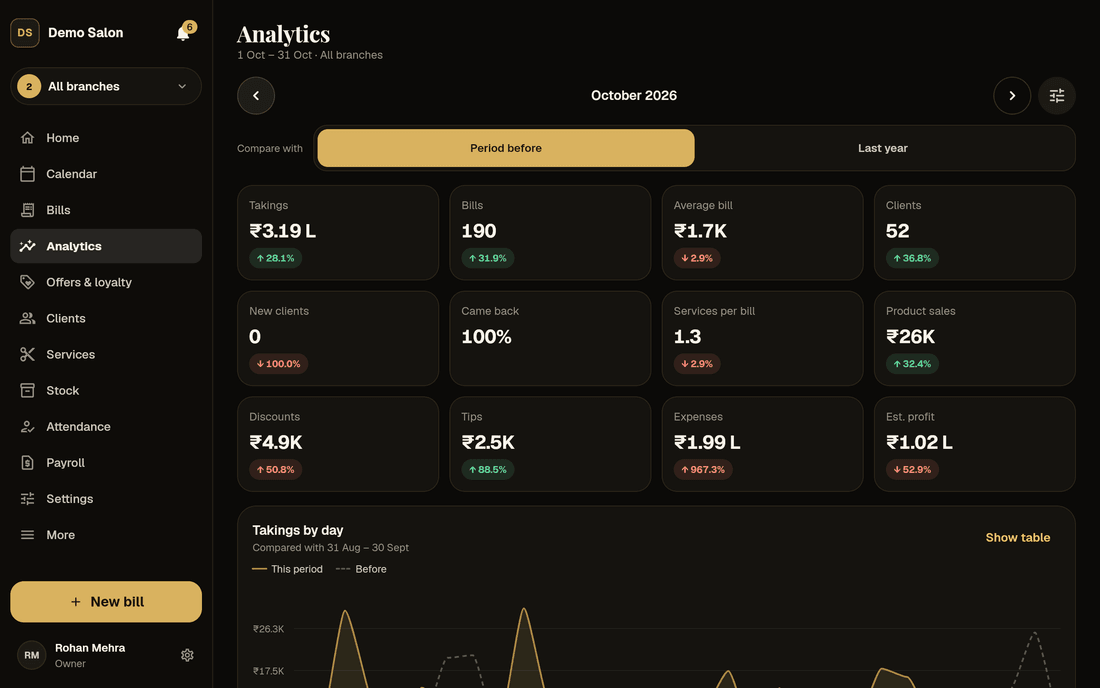
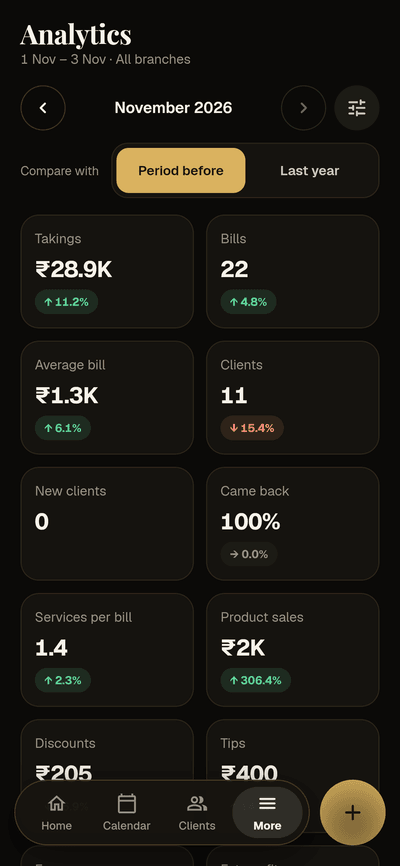
Pick Today, Yesterday, Last 7 days, This month, Last month, This year (April to March) or your own dates, and compare with the period before or the same dates last year. Every headline shows its change: green when it went the right way, red when it didn’t. For discounts and expenses, up is red.
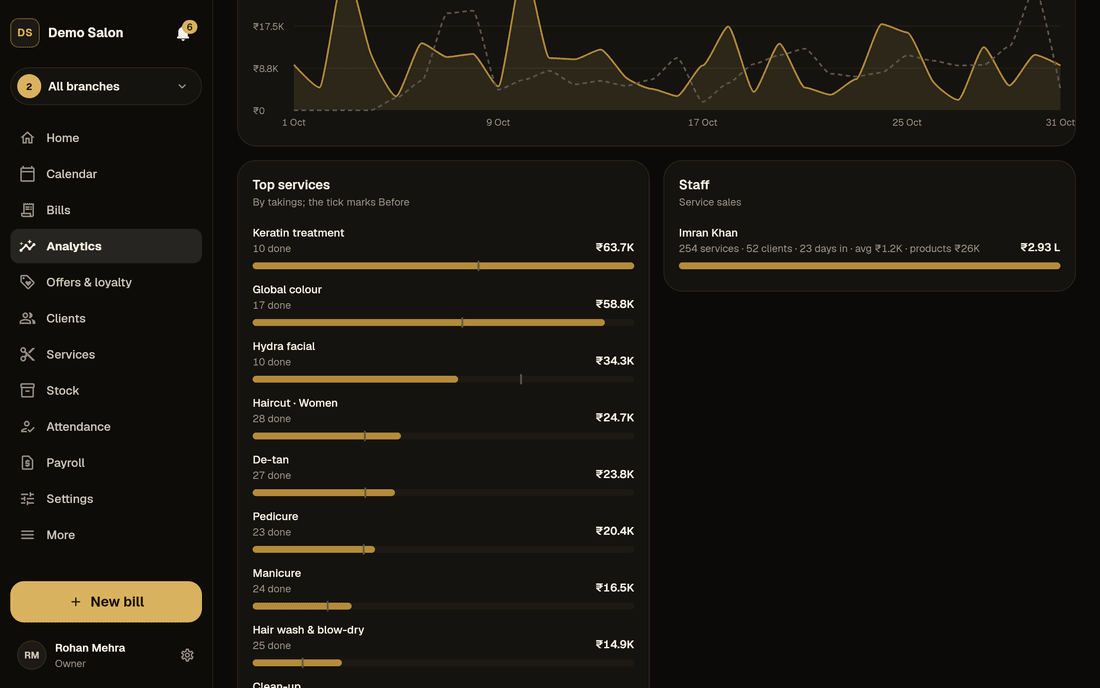
The headlines are takings, bills, average bill, clients, new clients, came back, services per bill, product sales, discounts, tips, expenses and estimated profit. Below them, takings by day are drawn against the comparison, and “Show table” lists every day. The same screens work on a phone.
- One branch or all, from the switcher at the top
- Top services, staff and how clients paid
- Owners see every branch; managers their own
Beyond takings
The numbers that show how the salon is really doing
Busy hours
Weekdays across, hours down, darker where it is busier. Tap a square for its bills and takings. Use it to plan shifts, lunch breaks and quiet-hour offers.
Rebooking rate
Of the period’s visits, the share where the client booked their next visit before leaving. One of the best signs of a salon clients come back to.
Came again
For each of the last six months, the share of that month’s clients who came again within 30, 60 and 90 days. Numbers still filling in are marked “so far”.
New and returning
Clients whose first visit was in the period against those who came before, by gender, with the takings from each.
Top services and categories
Ranked by takings, with how many were done and a tick showing where each stood last period.
Staff, branches and payments
Service sales per stylist, each branch side by side (with two or more), and how clients paid, split by cash, UPI and card.
Money
A profit and loss that agrees with everything else
Profit and loss puts sales down the side and a column for each month: net sales, then direct costs (products used, products sold, stock lost, commission), gross profit, running costs (salaries and each expense head), and net profit, each with its share of sales.
Staff pay follows the payroll rules, and stock counts when it is used, sold or lost, never when it is bought, so nothing is counted twice. The dashboard’s estimated profit is the same number for the same dates. Below the line, “Not profit” shows what you still owe clients: package sessions, unused gift vouchers and wallet money.
Profit by service, by stylist and by client break the same numbers down. With recipes in Pro, Frizzi warns you on Mondays about services whose margin has fallen below the share you set.
- GST, discounts and tips shown but never counted as profit
- Close a month and it never changes
- A note when rent or electricity is missing
All branches · without GST
Sample data
All 39
Every salon report, by group
| Group | Reports |
|---|---|
| Sales (10) | Sales trend · Sales by hour · Day-wise summary · Bill-wise (daily sales) · Services sold · Products sold · Discounts given · Tips · Cancellations and credit notes · Collected vs billed |
| Packages and loyalty (11) | Packages sold · Package sessions used · Packages expiring · Memberships sold · Memberships expiring · Member discounts given · Gift vouchers · Wallet top-ups and use · Points earned and used · Coupons and referral codes · Referrals |
| Staff (4) | Service sales by stylist · Commission and incentives · Attendance summary · Advances |
| Money (7) | Expenses by head · Cash tally · Profit and loss · Profit by service · Profit by stylist · Profit by client · Dues ageing (0–30, 31–60, 61–90 and over 90 days) |
| Stock (4) | Stock reports (value, movement, losses, use) · Purchases · Supplier payments · Purchase price history |
| GST (3) | Monthly GST, per GSTIN, for GSTR-1 and GSTR-3B · GST paid on purchases (an estimate, not a claim) · HSN/SAC summary for GSTR-1 Table 12 |
Every report has dates, one branch or all, a chart where it helps, a table with totals, notes on how it is worked out, and Excel and PDF. Reports on Plus or Pro features (packages, payroll, suppliers) fill up only when you use them. Your accountant may also want the Tally export.
Who sees what
Reports for the owner, not the whole counter
| Role | Analytics | Reports |
|---|---|---|
| Owner | Every branch | All 39, every branch |
| Manager | Their branches | Their branches, without Commission and incentives, Profit by stylist or the GST reports |
| Reception | — | — |
| Stylist | Their own month’s earnings on Home | — |
Each report also needs the permission of the page it sums up, such as attendance, advances or the cash tally.
How it works
Getting answers from your reports
Pick the period
This month, last month, this year or your own dates, and what to compare it with.
Pick the branch
One branch, or “All branches” to see the whole salon added up.
Open the report
A chart where it helps, a table with totals, and a note on how each number is worked out.
Download it
Excel with amounts as real numbers that add up, or PDF for printing and your accountant.
FAQ
Questions
Are all 39 reports in the Basic plan?
Yes. Every report and the analytics dashboard are in Basic, from ₹99 a branch a month plus GST. Reports about Plus or Pro features, such as packages, payroll or suppliers, only have numbers in them once you use those features.
Can I export reports to Excel?
Yes. Every report downloads as Excel, with amounts as numbers in rupees so your own sums work, or as an A4 PDF.
Is the GST report ready for GSTR-1 and GSTR-3B?
The Monthly GST report gives your accountant each GSTIN’s first and last invoice number, cancelled invoices, credit notes, and the taxable value, CGST and SGST by rate. The HSN/SAC summary is laid out for GSTR-1 Table 12. Every bill is B2C, so there is no B2B section. Frizzi doesn’t file returns; your accountant does.
How is estimated profit worked out?
Takings without GST, plus deposits and fees kept and expired gift vouchers, less expenses, staff pay, products used and sold at what they cost, stock lost, advances and dues written off, and wallet bonus money spent. It is always the same as the Profit and loss report’s net profit for the same dates and branches.
Can my manager see staff pay in reports?
No. Managers see their own branches’ reports, but not Commission and incentives, Profit by stylist or the GST reports. Reception and stylists see no reports at all.
Will a month change after I send it to my accountant?
Not once you close it. Owners can close a finished month in settings, and nothing dated in it can be added, changed or cancelled afterwards, by anyone. Corrections go in the current month.
From the Frizzi guides
Guides on this
Salon reports to check weekly: the 10 numbers that matter
Salon reports to check weekly: takings, average bill, services per bill, came-back %, rebooking, no-shows, discounts, cash short/over, product and staff sales.
5 min read
Money & the counterPricing salon services: cost, margin and when to raise prices
Pricing salon services the right way: product cost per service, stylist time and commission, rent per chair-hour, margin and GST, with a worked colour example.
5 min read
Clients & loyaltyHow to grow repeat clients at your salon
Grow repeat clients at your salon: rebook before they leave, remind them when they are due, win back the ones drifting away and measure who comes back.
5 min read
Run your salon on Frizzi, free for 35 days
Every feature of Pro for 35 days. No card needed. Your data stays yours, and you can export it any time.
Plans from ₹99 a branch a month, plus GST. Monthly or yearly.