
For one salon
Software for a single salon, run from one counter
You open the shutter, you take the first client, you count the drawer at night. Software for a single salon should fit that day, not a head office. Frizzi starts on the basics and keeps everything else out of sight until you ask for it.
- Basic is ₹99 a month plus GST, with unlimited staff
- Branch choices and extras hidden for a one-shop salon
- 35 days of Pro free first, no card
One branch, one counter
Sample data on a demo salon
Small salon software
What small salon software has to do for an owner-run shop
In a small salon the owner is often the manager, the cashier and the best stylist on the floor. There is no one to “set up the system”. So the test for small salon software is simple: can you bill the next client while you still have colour on your gloves, and can you trust the numbers at 10 pm without adding them up again?
That means four things matter on day one: a quick bill with the right GST, the name of who did each service (so commission is right), a calendar that stops two clients landing on one chair, and a cash count that tells you if the drawer is short. Everything else, from memberships to payroll, can wait until the basics run by themselves.
Frizzi is built that way. A salon with one branch never sees a branch picker. Features you have not switched on stay hidden, and the till only shows a hint (like “a package session can be used”) for things you actually use. If you have never used salon software before, read moving from a register to software first.
Switch on in this order
What to switch on first, week by week
Don’t try to use everything in the first week. Get one habit working, then add the next.
Week 1: bill everything
Import your service menu from Excel, add your team with their commission %, put in your UPI ID and print a test bill. Then bill every client, even the ₹60 threading.
Week 2: the calendar
Put bookings in Frizzi instead of the diary. “Walk-in” seats someone now. Reminders go the day before and a few hours before: on WhatsApp from your own WhatsApp Business number, in the Frizzi client app (coming soon), or from a desk list you tap to send.
Week 3: count the drawer
Close each day with the cash tally. Frizzi shows what should be there; you count note by note and see Matches, Short or Over.
Month 2: read the numbers
Look at Services sold, Staff earnings and Dues. Only then decide if you need packages, memberships or payroll.
Which plan
What a one-counter salon gets on Basic, and when to move up
| You want to… | Basic ₹99 | Plus ₹799 | Pro ₹1,499 |
|---|---|---|---|
| Make GST bills, take UPI, cash or card, bill offline | Yes | Yes | Yes |
| Keep client history, wallet and dues (udhaar) | Yes | Yes | Yes |
| Run the calendar, walk-ins and online booking rules | Yes | Yes | Yes |
| Work out one commission % per stylist | Yes | Yes | Yes |
| Count the cash, track expenses, see all 39 reports | Yes | Yes | Yes |
| Sell memberships, packages and gift vouchers | — | Yes | Yes |
| Take deposits and charge no-show fees | — | Yes | Yes |
| Run salaries with payslips, shifts and leave | — | — | Yes |
| Track product use per service and order from suppliers | — | — | Yes |
Prices are a branch a month, before 18% GST. Your 35-day trial is Pro, so you can try everything first. After it, the salon moves to Basic unless you choose another plan; your data stays as it is. See all prices.
Keep it simple
Nothing switches itself on
A small salon does not need nine menus of settings. In Frizzi, loyalty points, the walk-in queue, deposits, automatic messages and the Tally export are all off until you turn them on. The screens stay short, and your reception learns the till in an afternoon.
When you do want more, it is a switch, not a migration. Your clients, bills and staff stay exactly where they are. If one day you open a second shop, it becomes a second branch in the same account, and your clients’ history and wallet go with them. See opening a second branch when that day comes.
- One branch: no branch picker anywhere
- Hints at the till only for features you use
- Add a branch later without starting again
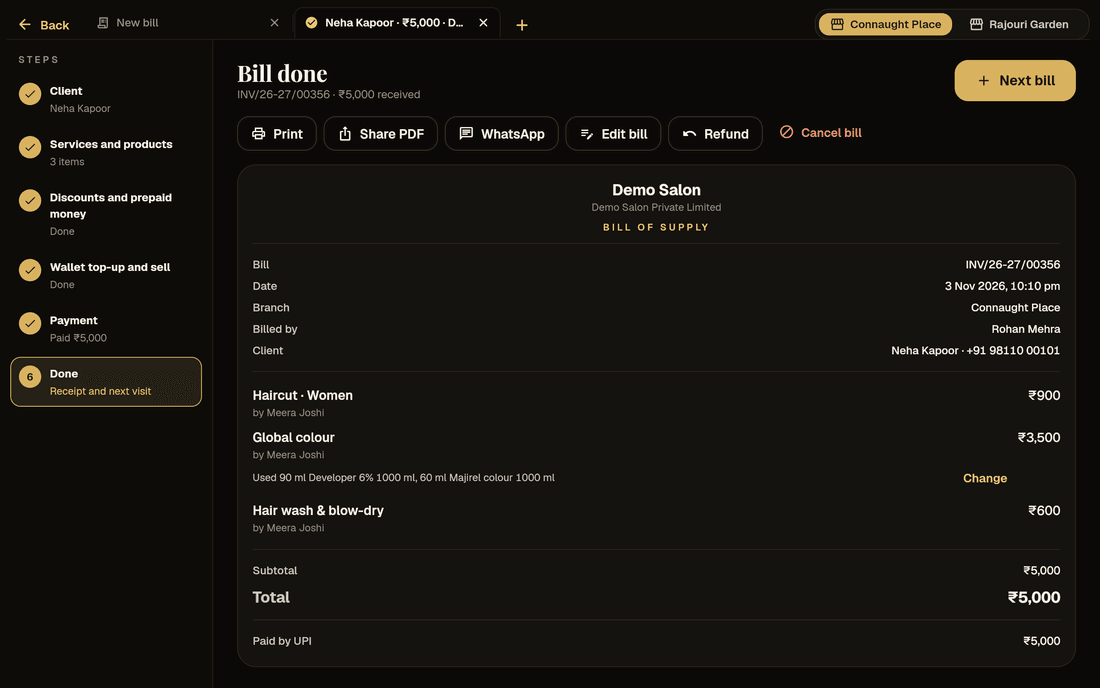
Owner on the floor
When you are also the one cutting hair
Reception can bill, not change prices
Give your receptionist the reception role. They bill, book and add clients, but only owners and managers change a price on a bill or cancel one, always with a reason.
Know without standing at the desk
Owners are told when a bill is cancelled or refunded by someone else, and when a client was marked “here” but never billed.
Commission without a calculator
Each service on a bill carries who did it. At month end, Staff earnings shows each person’s services, commission and tips.
How it works
Your first afternoon
Start the trial
Sign up with your mobile number at business.frizzi.app. 35 days of Pro, no card.
Load your menu
Fill in the Excel template with your services, prices and times, and import it. Products are added by hand.
Add your team
Each person with their phone number, role and commission %. Unlimited staff on every plan.
Bill a test client
Bill yourself a haircut, print or send it, then cancel it with a reason, so you know how both work.
FAQ
Questions
Is Basic at ₹99 enough for a small salon?
For many, yes. Basic has the GST till, offline billing, client history, wallet and dues, the calendar, reminders, commission %, attendance check-in, the cash tally, expenses, stock levels and all 39 reports. Memberships, packages and deposits need Plus; payroll and full stock need Pro.
What does ₹99 cost with GST?
₹99 plus 18% GST, so about ₹117 a month. Or ₹990 a year plus GST, which is two months free.
Do I need a computer?
No special one. Frizzi runs in the browser on any computer today. The Android and iPhone apps are ready but not in the stores yet; they are coming soon.
I am not GST-registered. Can I still use it?
Yes. Without a GSTIN, Frizzi makes a bill of supply with no GST on it. When you register, add your GSTIN in settings and bills become tax invoices.
Can I bring my old client list across?
Not by import yet. Only the service menu imports from Excel or CSV. Clients are added as they come in, with their number and name, and history builds from their first bill.
What happens when the trial ends?
Seven days before it ends, Frizzi makes your first invoice, for Basic unless you asked for Plus or Pro. You pay by UPI or bank transfer. Nothing is lost when the plan changes.
From the Frizzi guides
Guides on this
Moving from a register or Excel to salon software in one afternoon
Moving from a register or Excel to salon software in an afternoon: import the menu, add staff, carry over wallet balances and dues, then a calm first week.
5 min read
Money & the counterClosing the day: a salon cash tally routine that works
Closing the day at a salon: work out expected cash, count note by note, record short or over, log payouts and bank deposits, and act on repeat shortages.
5 min read
Money & the counterPricing salon services: cost, margin and when to raise prices
Pricing salon services the right way: product cost per service, stylist time and commission, rent per chair-hour, margin and GST, with a worked colour example.
5 min read
Run your salon on Frizzi, free for 35 days
Every feature of Pro for 35 days. No card needed. Your data stays yours, and you can export it any time.
Plans from ₹99 a branch a month, plus GST. Monthly or yearly.